

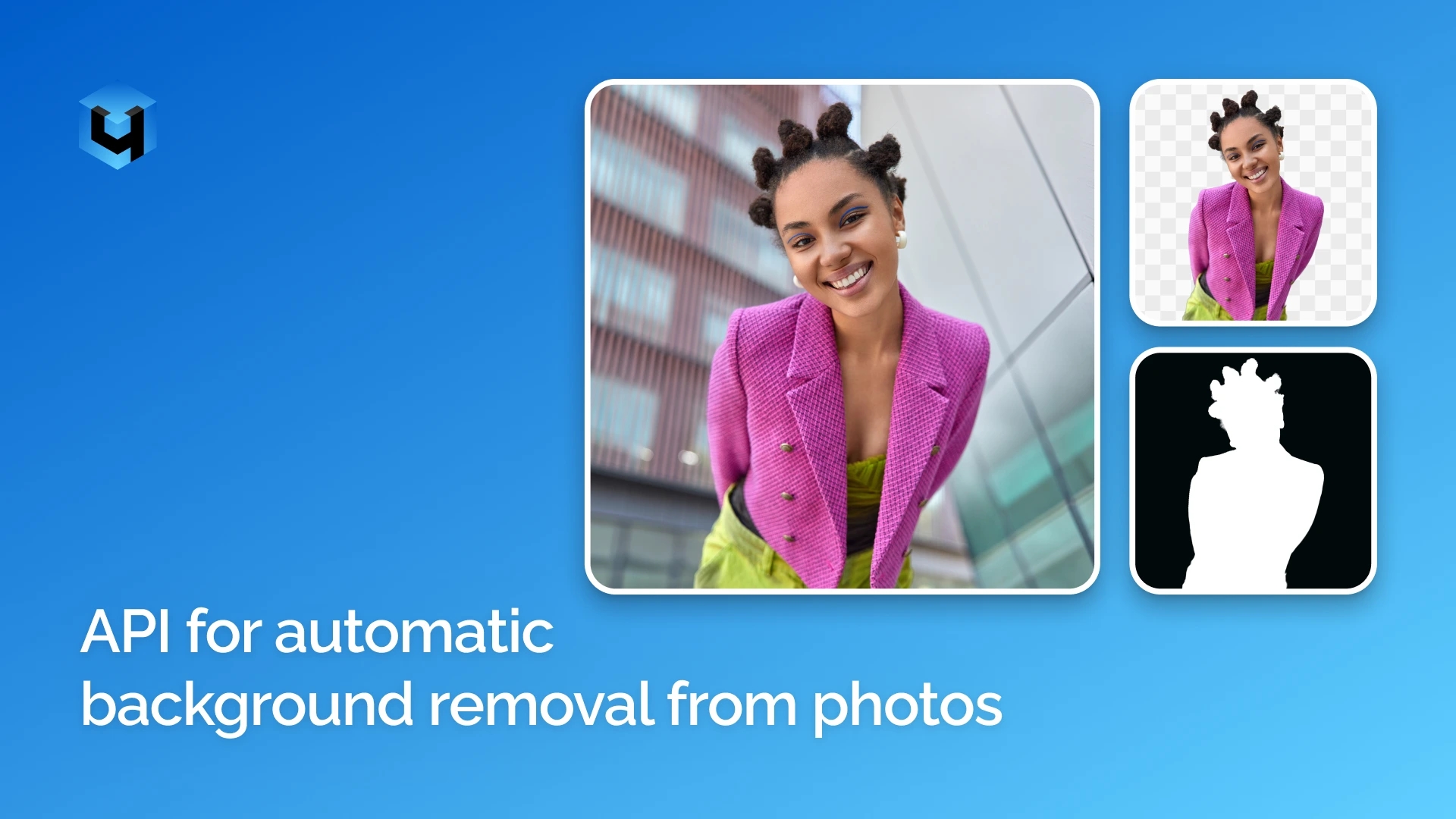
Background removal is an essential step in preparing images for online stores, marketplaces, product catalogs, and digital platforms. When working with large volumes of images, manually removing backgrounds from every file can slow down publishing and increase the workload for your team.
The Retouch4me Background Removal API automates this process, allowing you to integrate background removal into your own applications, websites, and image-processing workflows.
Background Removal for Different Types of Images
The Retouch4me API automatically detects and separates objects from their backgrounds. It can be used with a wide range of image types, including product photography, clothing, accessories, furniture, food, interior objects, and more.
The API works with both studio photographs and images taken in real-world environments. The quality of the result depends on the source image, including the clarity of object boundaries, focus, contrast between the subject and background, and any overlapping elements.
Two Output Formats
Depending on your workflow, the API can return one of two output formats.
PNG with a Transparent Background
A ready-to-use RGBA PNG image with the original background removed and transparent areas preserved.
This format is ideal for images that need to be added directly to online stores, product catalogs, or marketing materials. The isolated subject can be placed against a white, solid-color, branded, or custom background without having to remove the original background again.
PNG Mask Without RGB
A single-channel PNG containing only the object mask data, without the color information from the original image.
The mask defines which areas belong to the subject and which belong to the background: black represents the background, white represents the object, and shades of gray preserve soft transitions along the edges.
This format is useful for compositing, custom image processing, result adjustments, and integration into automated workflows.
You can also choose how the mask handles object edges:
- Soft mask: Preserves intermediate shades of gray to retain smooth transitions and fine details, such as hair and delicate contours.
- Hard mask: Uses only black and white values, with a 0.5 threshold separating the subject from the background.
What Can You Use the API For?
Preparing Images for Online Stores
Automatically remove backgrounds from product photos for product pages, catalogs, and online listings. Place isolated products against a consistent white or branded background.
Processing Images for Marketplaces
Integrate background removal into your product image preparation workflow. This helps standardize seller images and product listings before publication or catalog updates.
Integrating with DAM, PIM, and CMS Platforms
Add background removal to existing workflows for uploading, processing, storing, and publishing media. For example, you can trigger background removal whenever new images are added to your catalog.
Building Your Own Applications and Online Editors
Developers can integrate background removal into photo editors, image upload forms, design applications, and internal business tools.
Compositing and Further Image Processing
If your application needs precise information about object boundaries, the API can return a separate mask. Use it for background replacement, image compositing, and other photo-editing operations.
Process Large Volumes of Images
The Retouch4me Background Removal API supports asynchronous processing, making it suitable for systems that handle a continuous flow of incoming images or process large batches.
Each image is submitted as a separate task. When processing multiple images, your application can send individual requests, store their task IDs, and check their statuses. Once processing is complete, the results can be downloaded.
This approach works well for importing product catalogs, updating images by SKU, processing incoming photo batches, and synchronizing media libraries.
How to Integrate the Background Removal API
The API integration process consists of three main steps:
- Submit an image. Send a JPG or PNG file to the
/retoucher/startendpoint along with your access token and request parameters. - Check the task status. Use
/retoucher/status/{id}to find out whether processing has been completed. - Retrieve the result. Once the task is complete, download the processed image using
/retoucher/getFile/{id}.
The output format is configured through request parameters. To receive a ready-to-use image with transparency, select RGBA PNG. To receive a single-channel mask, use PNG with the MaskOnly: 1 parameter.
Please note that Remove Background must be submitted as a separate task. It cannot be combined with other Retouch4me tools in a single API request. If you need additional processing, such as cropping or color correction, submit a separate API request for each operation.
Automate Background Removal in Your Workflow
The Retouch4me Background Removal API makes it easy to integrate automatic object selection and background removal into your existing digital products and image-processing workflows.
Use transparent PNGs for images that are ready to publish, or retrieve a mask for further processing within your own system. Choose the output format that best fits your workflow.
The API documentation includes request parameters and integration examples.
For API integration questions, technical troubleshooting, or requests for specialized functionality, contact relu@retouch4.me.