Promo code is active, 0 minutes left to get 10% discount!
Retouch4me Apex

Retouch4me Apex

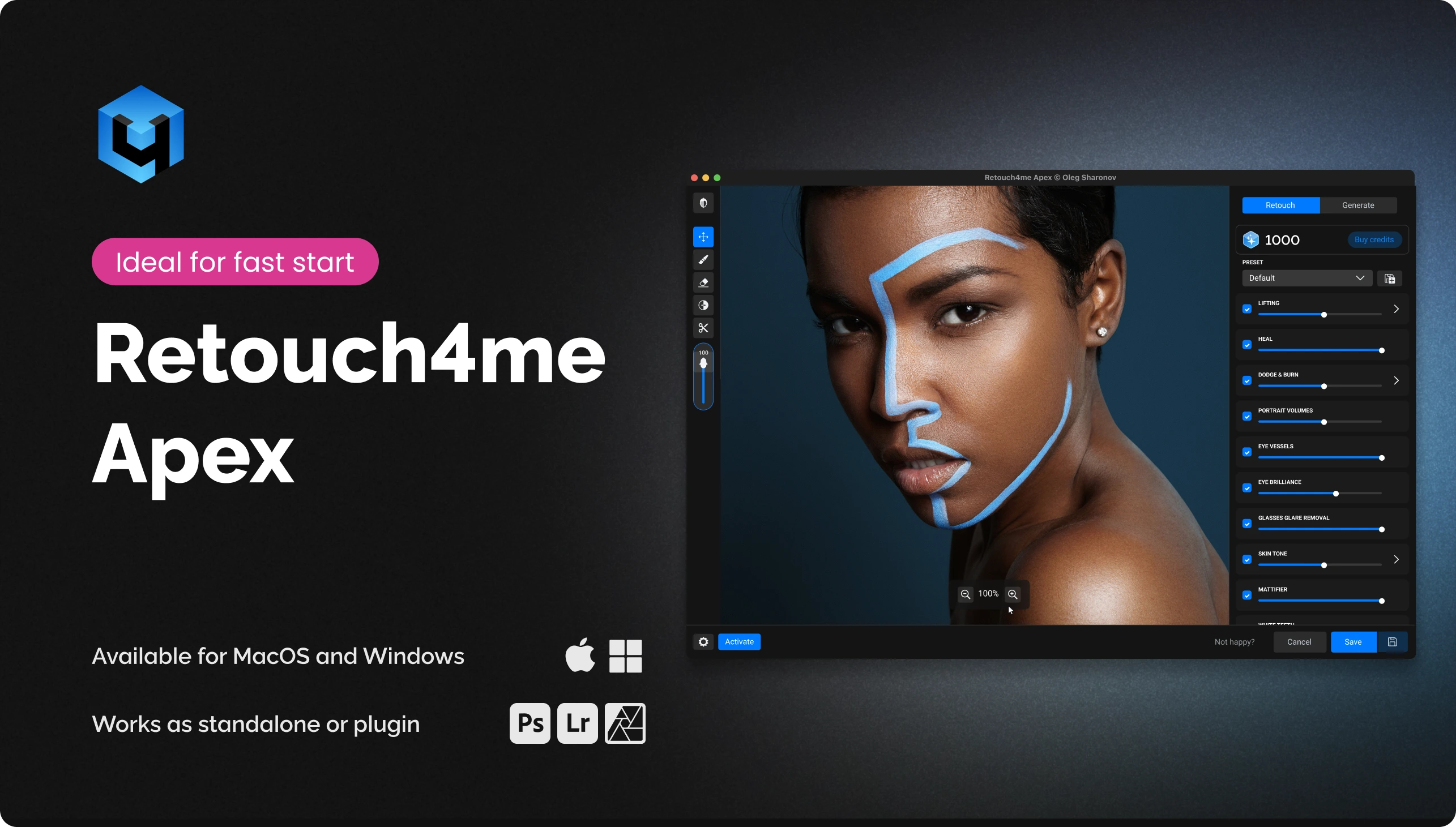
All the essential Retouch4me tools — and even more — in one.

Version: v 1.207
  • Combines all the core tools for retouching skin, eyes, smile, hair, glasses glare, clothing and background in one desktop app.
  • Minimal software requirements — a stable internet connection is enough, all the work happens in the cloud.
  • Fast batch processing with layer support for flexible work with your shots.
  • Exclusive access to AI tools: Fine-tune mole retouch, Keep Bindi, Face Make Lifting and Glasses Glare Removal

Who is it for

New

Beginners

A simple way to try AI processing without complex software and extra steps.

Portrait photographers

Remove the routine and keep the natural skin texture — the shot looks alive, not “plastic”.

Retouchers

Save hours on rough editing while keeping full control over the final shot.

Wedding photographers

Fast processing of gigabytes of shoots: a consistent style for thousands of frames in minutes.

How to get started?

Process your first 20 photos for free

Activate a welcome pack of 20 credits for cloud retouching and get to know all of Apex’s features. Credits are available for 7 days after activating the pack.

1

Install Retouch4me Apex

Download and install Apex as a standalone app or as a plugin in Photoshop.

2

Top up your credit balance

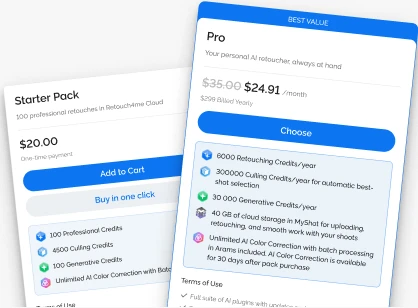
1 credit = 1 photo. Top up your balance to match your volume — get a subscription or buy a pack.

3

Process photos

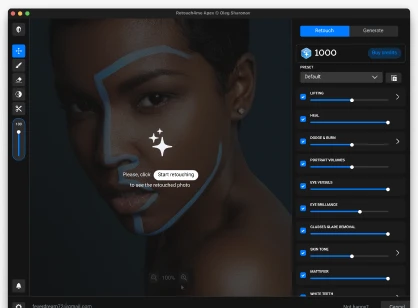
Select one or more photos and click "Start retouching".

Your new way to retouch faster

Apex combines the best Retouch4me tools in a single app. Upload photos, run processing and control the result in real time.

Which neural networks does Retouch4me Apex support?

Fine-tune mole retouch Apex Exclusive

Fine-tune mole retouch

Adjusts the intensity of AI-detected mole retouching.
Keep Bindi Apex Exclusive

Keep Bindi

Automatically detects the bindi and protects it from retouching.

Glasses Glare Removal Apex Exclusive

Glasses Glare Removal

Removes reflections from glasses while preserving natural eye detail.

Apex Exclusive

Retouch4me Face Make

This unique AI enhances facial features, allows you to adjust symmetry, emphasize femininity or masculinity in a portrait, replace skin texture, and apply makeup. It works as a filter in Photoshop with the result as a layer. Also available via Arams.
Retouch4me Heal
Plugin face retouching Photoshop portrait editing skin correction

Retouch4me Heal

Removes pimples and minor skin defects all over the body. AI works like a professional retoucher, preserving natural texture. Works as a filter in Photoshop with the result as a layer, available in Arams, Apex and Panel.
Plugin face retouching Photoshop portrait editing

Retouch4me Dodge & Burn

AI performs high-end retouching: removes under-eye bags, body bruises, and smooths skin while preserving natural texture. Works as a filter in Photoshop with the result as a layer, available in Arams, Apex and Panel.
Plugin Photoshop portrait editing

Retouch4me Eyes Bundle

Makes eyes more expressive, removes blood vessels, emphasizes eye color and removes redness. Works as a filter in Photoshop with the result as a layer, available in Arams, Apex and Panel.
Plugin commercial editing Photoshop

Retouch4me Fabric

AI smooths out wrinkles on clothing. Perfect for group photos at events. Works as a filter in Photoshop with the result as a layer, available in Arams, Apex and Panel.
Plugin Photoshop skin correction

Retouch4me Skin Mask

AI creates a mask on the skin for further retouching. You can select the face, the rest of the skin or the entire body. Works as a filter in Photoshop with the result as a layer, available in Arams, Apex and Panel.
Plugin Photoshop portrait editing

Retouch4me Portrait Volumes

AI for the perfect portrait. Increases the sense of depth: draws the oval of the face, emphasizes the lips and makes the eyes brighter. Works as a filter in Photoshop with the result as a layer, available in Arams, Apex and Panel.
Plugin background removal commercial editing Photoshop

Retouch4me Clean Backdrop

AI finds dirt on studio backgrounds and removes it. Fast, accurate. An indispensable tool for studio photographers. Works as a filter in Photoshop with the result as a layer, available in Arams, Apex and Panel.
Plugin Photoshop skin correction

Retouch4me Skin Tone

AI finds exposed skin areas, determines the average tone and evens out the color. Works great with redness after frost or alcohol. Works as a filter in Photoshop with the result as a layer, available in Arams, Apex and Panel.
Plugin Photoshop teeth whitening

Retouch4me White Teeth

Whitens teeth while maintaining natural shade. Works as a filter in Photoshop with the result as a layer, available in Arams, Apex and Panel.
Plugin face retouching Photoshop skin correction

Retouch4me Mattifier

Finds glossy and oily areas of skin in a photo and restores natural color. Photos from weddings or parties will be perfect. Works as a filter in Photoshop with the result as a layer, available in Arams, Apex and Panel.
Plugin Photoshop portrait editing

Retouch4me Frequency Separation

Retouch4me Frequency Separation — free Photoshop plugin for retouching
Plugin color correction Photoshop

Retouch4me Color Match Free

Plugin for color correction of photos using a huge free library of LUT's.
Plugin color correction Photoshop

Retouch4me Color Match

AI-powered color grading by reference. Copy color schemes from scenes in famous movies, create your own LUTs, or use the free library. Works as a filter in Photoshop with layer-saving support. Also available through the Arams photo editor.
Plugin beauty retouch on-device retouching Photoshop portrait editing

Retouch4me Stray Hairs

Automatically removes stray hairs for clean, polished hairstyles.
Plugin commercial editing Photoshop

Retouch4me Dust

AI removes dust and small particles from objects. An indispensable assistant for product photographers.
Plugin batch processing commercial editing Photoshop

Retouch4me Crop

Determines the optimal option for cropping photos to the desired format. For school albums, corporate portraits, catalogs, etc. Speeds up processing several times.
Plugin Photoshop OFX

Retouch4me Lab

AI Assisted Photo Editing
Plugin

Retouch4me Mask Anything

Create object masks from text prompts using AI in Photoshop Plug-in and Standalone app
Plugin Photoshop

Retouch4me Long Nose

Removes pimples and minor skin defects all over the body. AI works like a professional retoucher, preserving natural texture.

Annual cloud subscription

  • Covers your needs for a whole season.
  • Try all the neural networks without a big spend.
  • Includes extra services to improve your workflow.
Cloud retouching Smart culling in Arams Generative Credits AI Color Correction Up to 100 GB of cloud storage in MyShot
Example of work

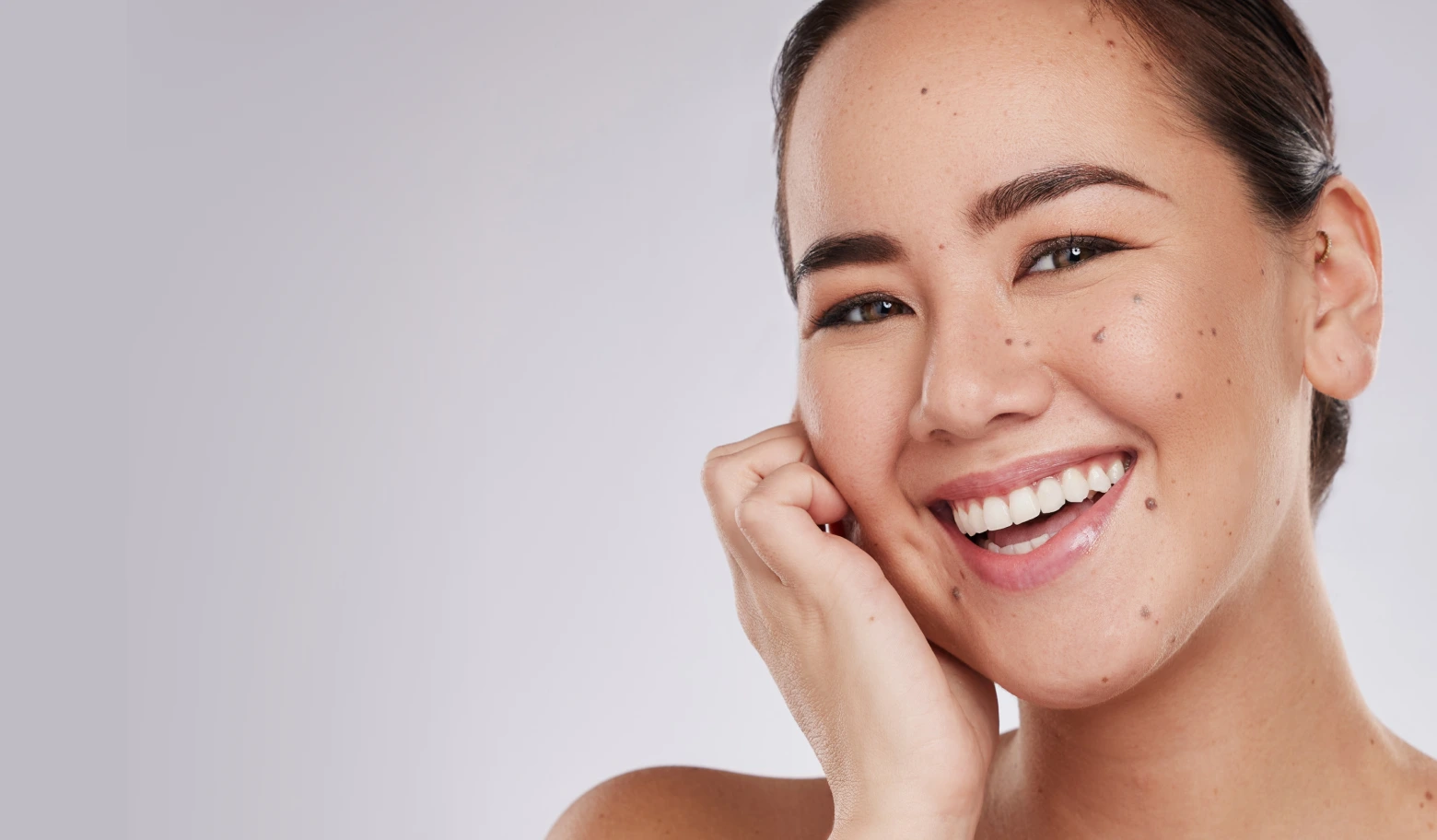
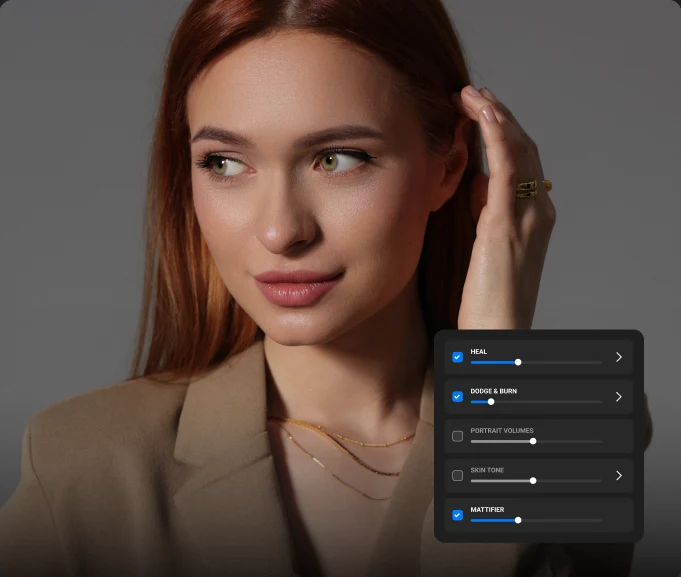
Retouching acne and skin imperfections

Retouching acne and skin imperfections

You need to remove inflammation and redness while preserving natural texture and pores.

How to do it:
  • Heal

    Start with the Heal plugin (intensity 30–40%) for precise defect removal

  • Dodge & Burn

    then add Dodge & Burn with 15–20% opacity to gently smooth the skin without a “plastic” effect.

  • Mattifier

    if there is an oily shine, add Mattifier (20–30%).

Save the combination as a preset — the next series will go much faster.

Frequently asked questions

What makes Apex special?

• Cloud retouching with real-time preview • Works inside Photoshop and as a standalone application • Easy installation, suitable even for less powerful computers • Access to multiple retouching tools in one interface • Unique features such as Fine-tune mole removal, Keep Bindi, Face Make Lifting, Inpaint and Glasses Glare Removal

Can I use Apex without Photoshop?

Absolutely. Apex also works as a standalone application — Photoshop is not required.

Does Apex support presets and batch processing?

Yes. You can save settings as custom presets or use the built-in ones. Batch mode lets you process multiple images at once with full control and confirmation before credits are deducted.

How does cloud processing work?

Your photos are uploaded to our secure cloud, processed by neural networks on powerful servers and returned to you fully retouched. This lets you use the plugin even on less powerful computers.

What are the system requirements?

Operating systems • Windows 10 (x64), Windows 11 • macOS 10.15+ Hardware • At least 6 GB RAM • 64-bit (x64) processor, 1.2 GHz or faster • PC: graphics card with 4 GB VRAM or an Intel CPU • MAC: 2015 or newer, Intel, M1-M3 or newer processors

How does the credit system work?

1 credit = 1 photo. This includes access to all Apex tools for that image with no extra charges per tool. A credit is deducted only after the photo has been fully uploaded to the server. If you cancel the upload before it finishes, no credit is used. You can reopen the same photo within 24 hours and restore the result without being charged another credit.

Do I need a subscription to use Apex?

A subscription is optional. You can buy credit packs (for example, 100, 300 or 1200) and use them as needed with no expiration date.

Are my photos safe in the cloud?

Yes, security is our priority. Photos are transferred over encrypted channels, used only for processing and automatically deleted from the servers once the operation is complete. Your images are not used for training neural networks, storage or any other purposes — they are used exclusively to carry out the processing you request.

Where can I get help or updates?

You can always check the latest version and download updates in your Personal Account, on the product page or in My Purchases. For help, contact support through the chat window in the bottom right corner of the website or create a ticket in your Personal Account.

How do I switch accounts in APEX?

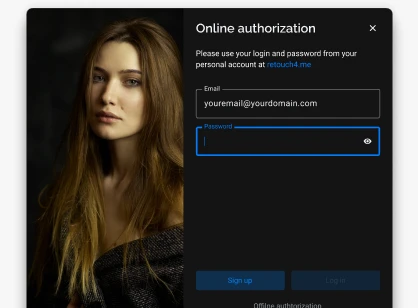
Open APEX, press and hold the 0 (zero) key on your keyboard and, while holding it, click the email address in the application window. You can then sign in to another account.

Your new way to retouch faster

Apex combines the best Retouch4me tools in a single app. Upload photos, run processing and control the result in real time.

System requirements

Operating systems

  • •Windows 7 (x64), Windows 10 (x64), Windows 11
  • •macOS 10.14+

Hardware

  • •at least 6 GB RAM
  • •64-bit (x64) CPU, 1.2 GHz or faster
  • •PC: GPU with 4 GB VRAM or an Intel CPU with OpenCL 1.1 support
  • •MAC: 2015 or newer, Intel or M1–M3 processors or newer

By purchasing our software you confirm that you have read and agree to the public offer terms